Free for 7 days · every feature unlocked · cancel before day 7 and pay nothing
0.9 beta · Windows

UVs for huge sculpts, in seconds.

Atlasmith unwraps sculpts and scans with millions of triangles, then simplifies, packs and bakes your normal and displacement maps. One fast app, every core of your CPU.

  • 7 days free
  • Every feature unlocked
  • Cancel before day 7, pay nothing

Start the trial on Gumroad: the download and your license key arrive by e-mail. After 7 days, US$9/month or US$79/year.

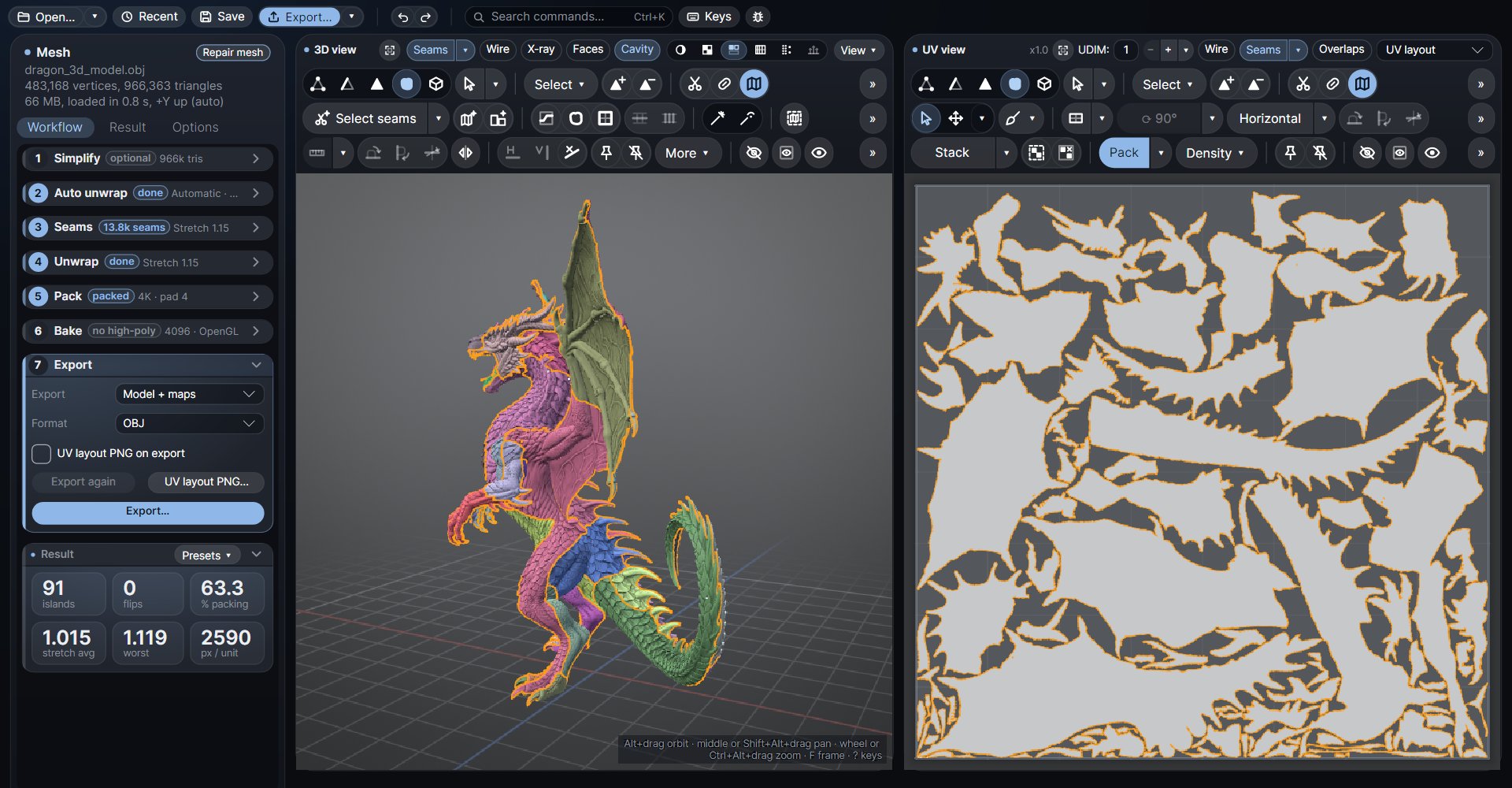
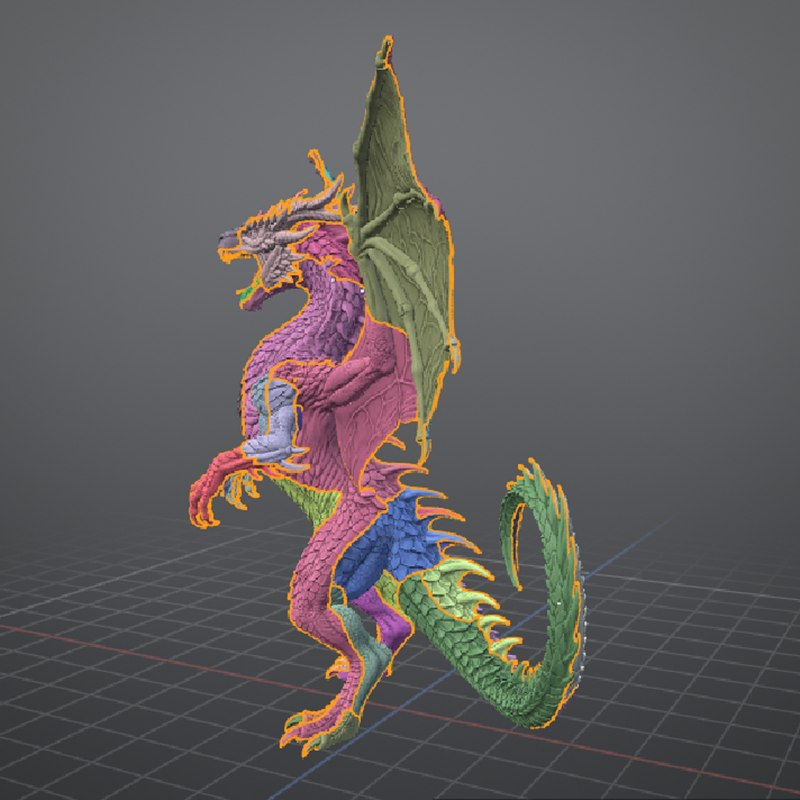
dragon.obj · 966k tris
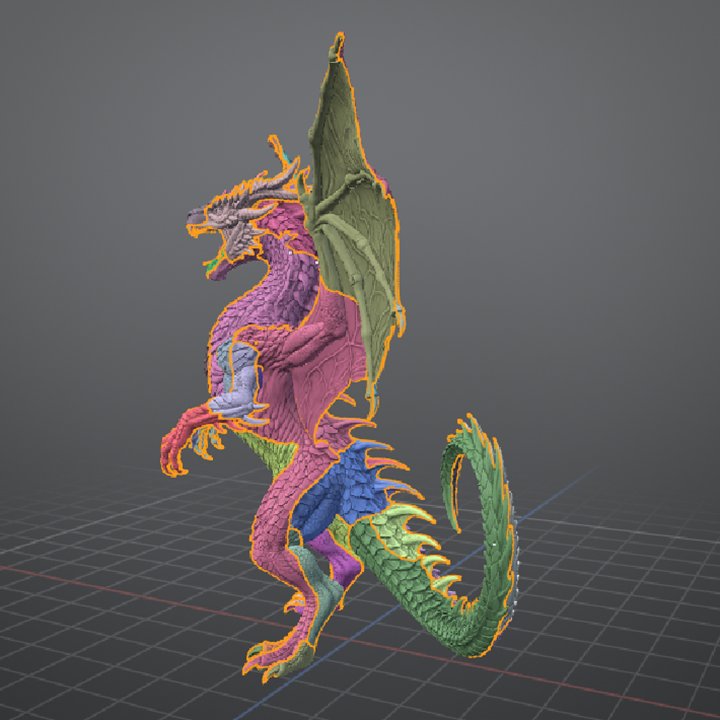
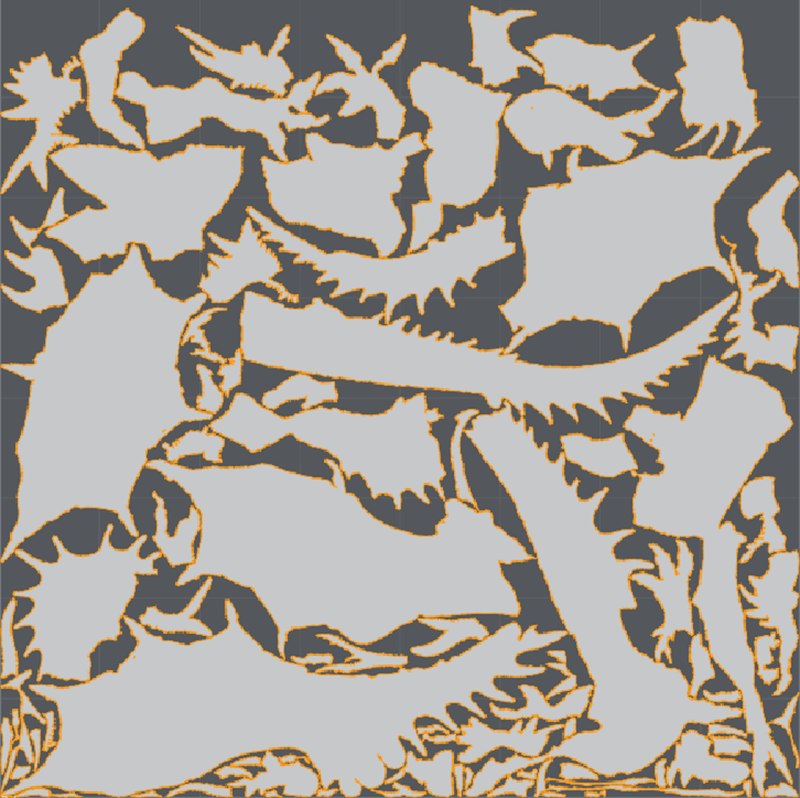
A dragon sculpt of 966k triangles with its 91 UV islands coloured, after one click of Auto unwrap The same dragon's packed UV layout
✓Auto unwrap in 10 s · 91 islands · 0 flips
OBJFBXSTLAlembic.atlas projectsUDIMQuads & n-gons keptNormal mapsDisplacement EXRuvcli OBJFBXSTLAlembic.atlas projectsUDIMQuads & n-gons keptNormal mapsDisplacement EXRuvcli
~20s3.5M-triangle sculpt to packed UVs
~20s56.5M triangles to a 500k low-poly with a 4K bake
0flipped triangles, checked on every result
0texels shared by two islands

Measured on a 64-thread workstation CPU. Atlasmith uses every core you have.

Atlasmith window: a dragon sculpt of 966k triangles after Auto unwrap, islands coloured in 3D and the packed UV layout on the right

Dragon sculpt · 966k triangles · Auto unwrap in 10 s · 91 islands · 0 flips

01 · The workflow

From sculpt to textured asset.

Seven steps in one panel, in the order of the work. Let Auto unwrap map a sculpt in one click, or cut the seams yourself on a clean quad model.

How each step works
  1. 01

    Simplify optional

    Pre-process once, then any triangle count instantly. Or switch to Quads for an automatic quad remesh with clean edge loops. The original stays for the bake.

  2. 02

    Auto unwrap one click

    Seams, unfold, relax and pack of the whole mesh. Automatic keeps every island under your stretch limit; Mosaic gives exactly the island count you ask for. Made for sculpts and scans.

  3. 03

    Seams

    Cut by hand with edge loops, shortest paths and polygon wands, or let Select seams propose them: By stretch, Mosaic, Sharp edges, Box, Cylinders. Symmetry mirrors every cut.

  4. 04

    Unwrap

    Press U to unfold the islands you choose, in place, relaxed to the end. Spots that can't lie flat are marked in red, so you know where to add a seam.

  5. 05

    Pack

    Tight packing with one texel density, padding in texels, rotations and UDIMs.

  6. 06

    Bake optional

    Tangent-space normal maps (OpenGL or DirectX) and displacement (32-bit EXR, 16-bit PNG), previewed in 3D before export.

  7. 07

    Export

    OBJ, FBX or Alembic with your UVs, plus the maps and an optional UV layout PNG. Or save the whole session as one .atlas project.

02 · Inside the app

Fast when it's automatic.
Precise when it's not.

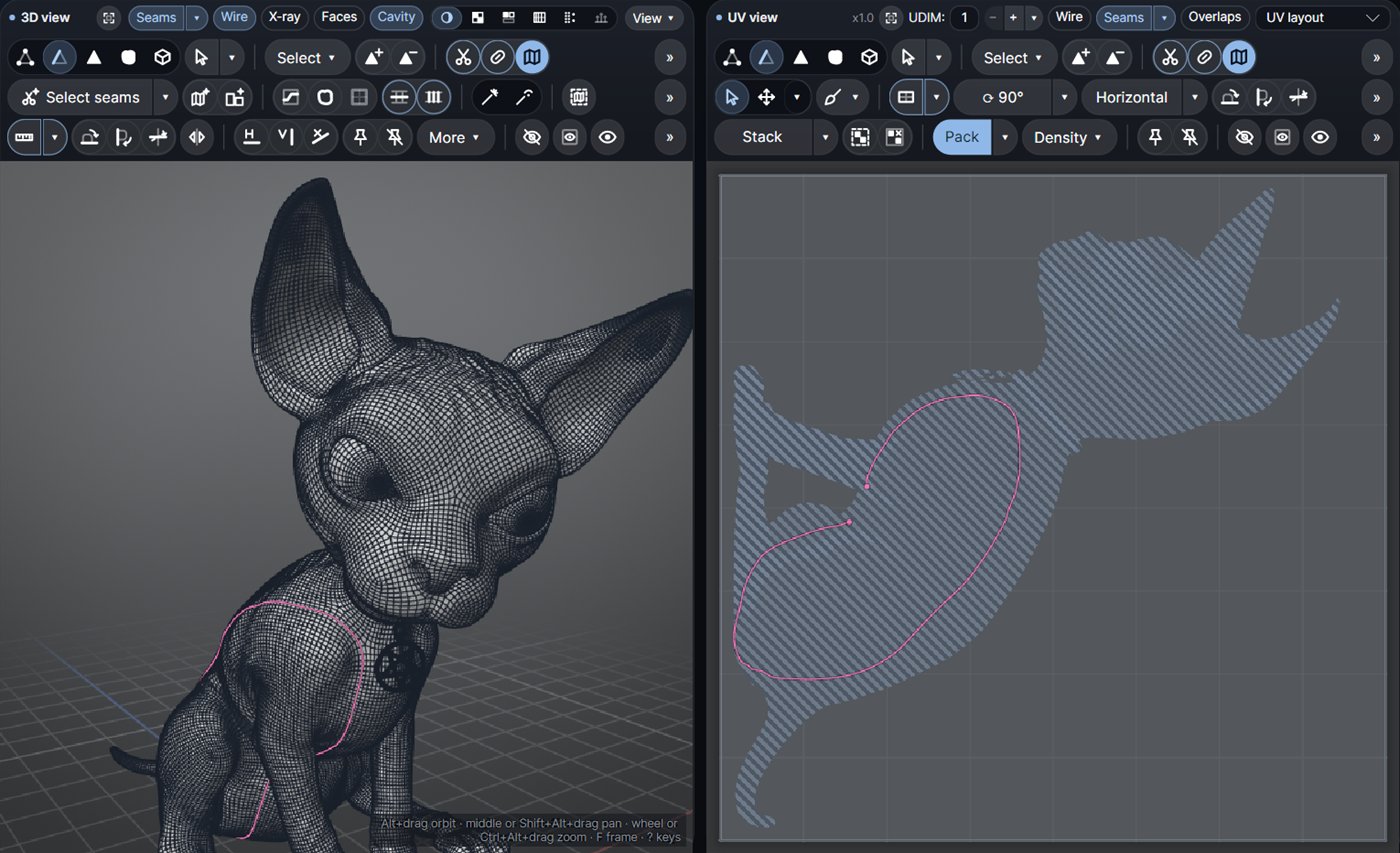
Seams by hand on your quad models

Bring a finished character and map it your way: a double click takes a whole edge loop that follows your topology, C cuts it, U unfolds. Quads stay quads. Vertex, edge, polygon, island and element modes, box and lasso, rings, grow and shrink, a transform tool with pivot and snapping, straighten, align, stack similar, lock.

C cut W weld U unfold O relax P pack

A quad cat model in wireframe with an edge loop selected in pink, shown in the 3D and UV views
Ctrl+K

Every tool, by name

Command search finds any tool by its name or by other words (relax, stitch, layout…) and says where it lives.

Quads

Automatic quad remesh

An all-quad low-poly with edge loops that follow the forms, from a multi-million-triangle sculpt in seconds.

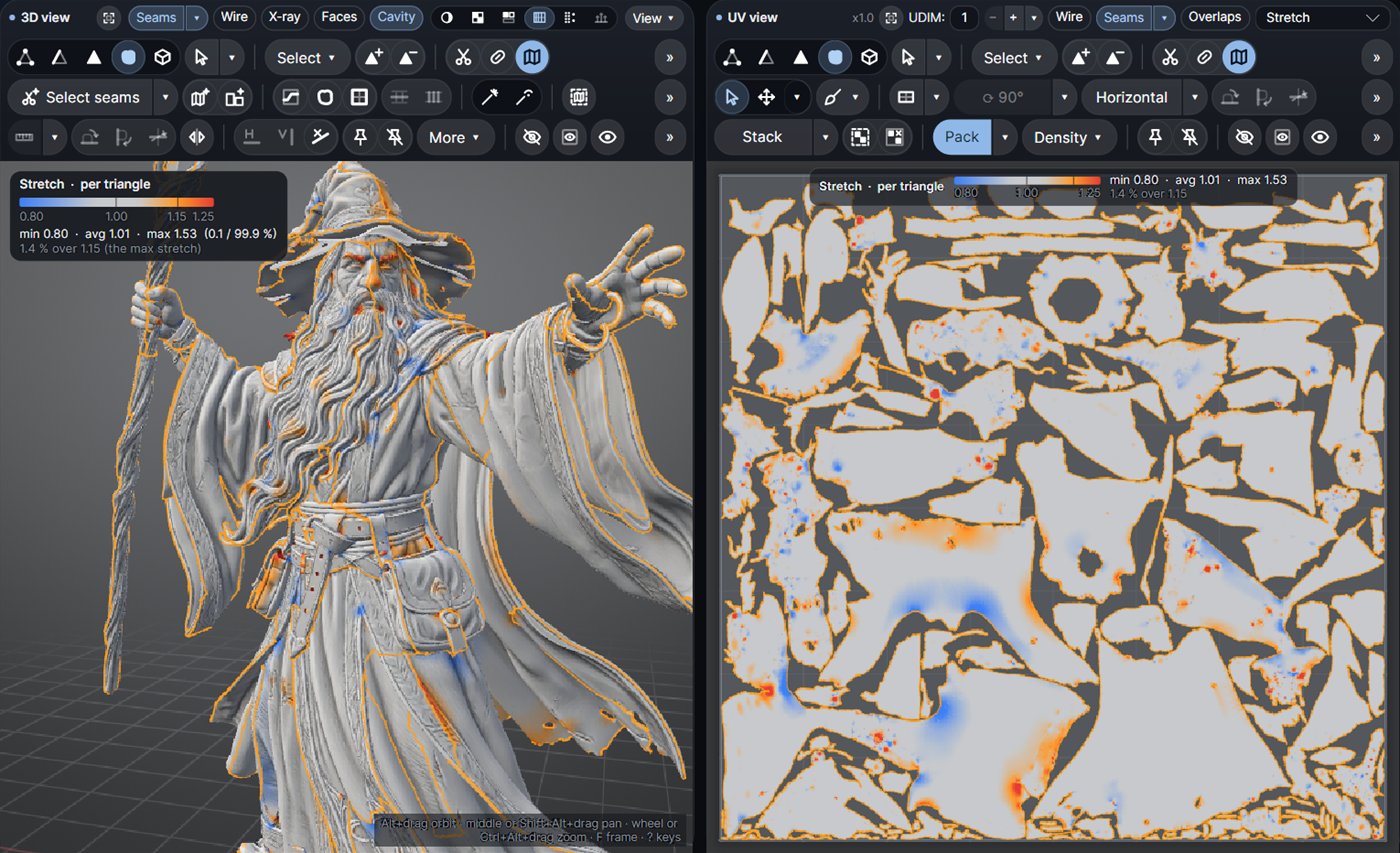
See what needs fixing

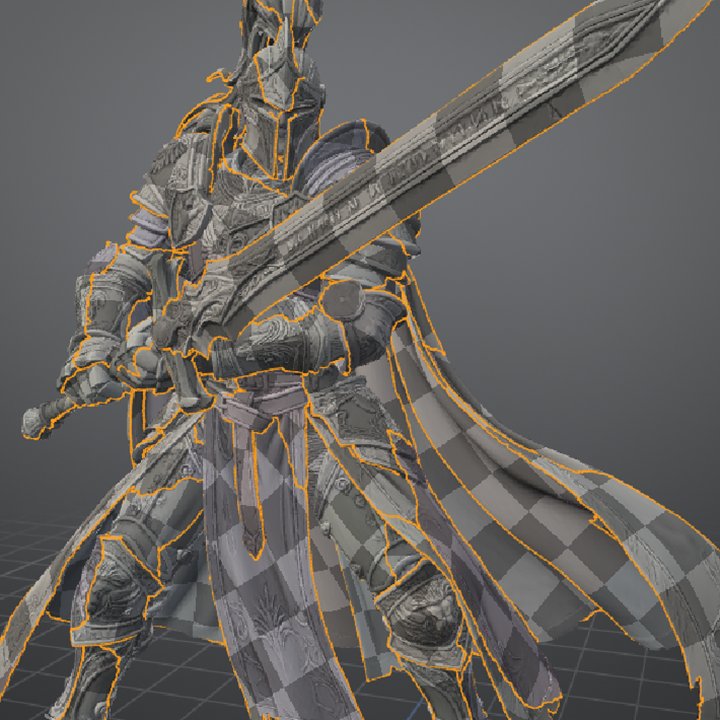
Stretch and texel-density views in 3D and 2D, an Islands to check list that jumps to the worst ones, and a Result panel that compares every run with the one before.

Stretch view of a wizard sculpt in 3D and 2D with its colour legend

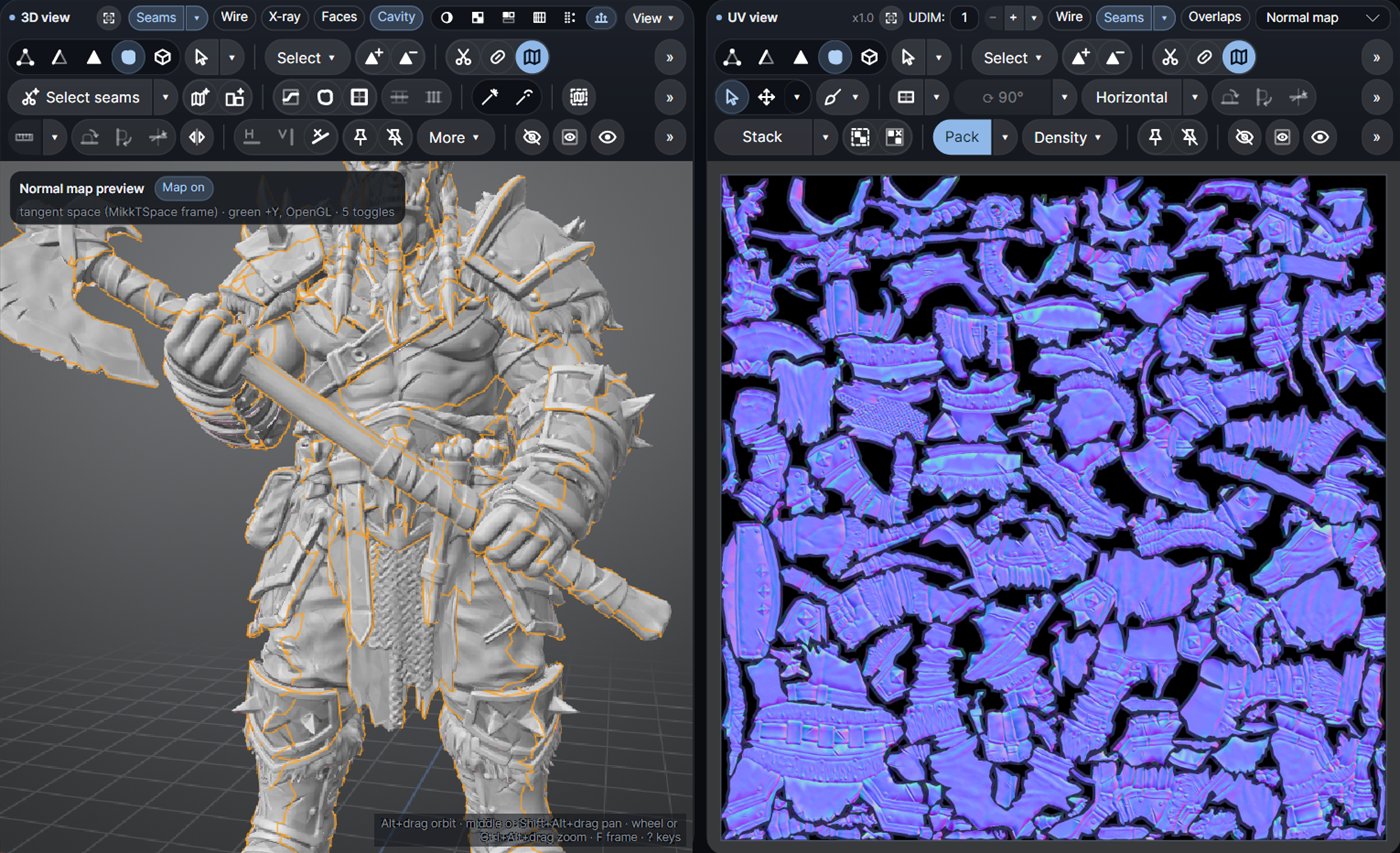
Simplify and bake in place

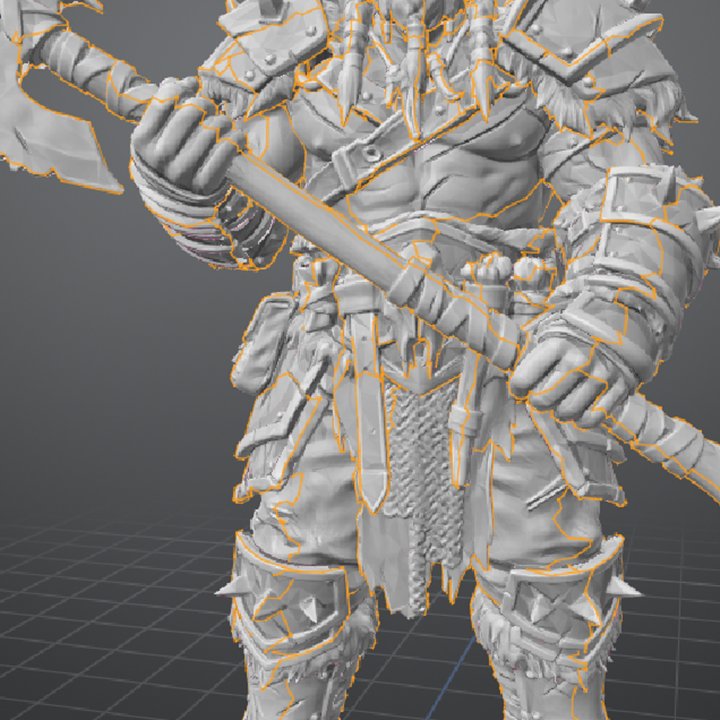
The high-poly stays out of RAM until the bake needs it. Normal and displacement measured from the subdivided surface, or bake onto your own low-poly.

Normal map preview on a 50k low-poly orc, with the baked normal map in the UV view

Mesh check & repair

Every mesh is checked when it opens. One click joins split corners, removes duplicate faces and fixes inside-out parts, keeping your UVs.

Back to ZBrush

Quads and n-gons are kept, so the UVs go back to your sculpt on the same topology.

Projects & batch

Save everything as one .atlas file and reopen it exactly as it was. A command-line tool is included for batch jobs.

03 · Pricing

Try everything for 7 days. Free.

Every membership starts with 7 free days. Cancel before they end and you pay nothing.

Yearly membershipMonthly membership
US$79/yearUS$9/month

About US$6.60 a month, billed once a year.Billed monthly. Switch to yearly any time.

Start the free trial
  • Every feature, nothing locked
  • One license on 2 computers
  • All updates while active
  • Works offline up to 7 days between checks
  • After you cancel: opens your work in view-only mode
04 · System requirements
System
Windows 10 or 11, 64-bit
CPU
8 cores / 16 threads or more recommended (fewer works, just slower)
Memory
16 GB; 32 GB or more for meshes over 20M triangles
Graphics
Any card with OpenGL support
05 · FAQ

Questions.

Looking for how a tool works? The help covers every command.

Can I try it for free?

Yes. Start the free trial on Gumroad (monthly or yearly): you get the download and your license key by e-mail right away, with every feature unlocked. Gumroad asks for a card but charges nothing for 7 days; cancel from your Gumroad library before then and you pay nothing.

Does it work with ZBrush sculpts?

Yes, that is what it was made for. Export your sculpt as OBJ or FBX, unwrap it (or simplify and bake) in Atlasmith, and bring it back. With Keep polygons, the UVs follow your quad topology.

Can I use my own low-poly?

Yes. Open your low-poly, unwrap it or keep its UVs, pick the high-poly file and bake.

What happens when the trial ends or I cancel?

Atlasmith keeps working until the end of the period you paid for. After that it opens in view-only mode: you can still open and inspect your work, but saving, exporting and baking need an active membership.

Can I use it offline?

Yes. After activation, Atlasmith works offline for up to 7 days between license checks.

I changed computers. Can I move my license?

Yes. One license covers 2 computers; to move it to a new one, write to support and we'll free a seat for you.

Mac or Linux?

Not yet. Atlasmith is Windows only for now.

Does it update itself?

It checks for a new version at most once a day and shows a small notice; you download the update yourself. Nothing about you or your work is sent, and the check can be turned off.

How do I get help or report a bug?

Read the help, join the Discord or write to dm3dtools@gmail.com. The Report bug button inside the app saves one zip with everything needed.
Stop waiting on UVs.

Open your heaviest sculpt and see for yourself. Seven days free, every feature, cancel any time.

Start the free trial