2 · Auto unwrap
Auto unwrap does seams, unfold, relax and pack of the whole mesh in one click. It is the fastest way from a sculpt or a scan to clean, bake-ready UVs.
When to use it
- Sculpts and scans you will bake or texture, where the exact seam placement does not matter.
- A first pass you then improve by hand: fix a few seams, U the touched islands, P.
For full control over every seam, use Seams, Unwrap and Pack instead. To run the automatic tools on part of the mesh only, select it and use Auto unwrap selection in the Seams card.
Run it
- Open a mesh (and simplify it first if you want a low-poly; Auto unwrap works on the current mesh).
- Open the Auto unwrap card and pick the mode.
- Click Auto unwrap. Progress shows in the status line; Esc cancels and leaves everything as it was.
- Check the result with the Checker (Alt+2), Stretch (Alt+4) and Density (Alt+6) views and the Result tab.
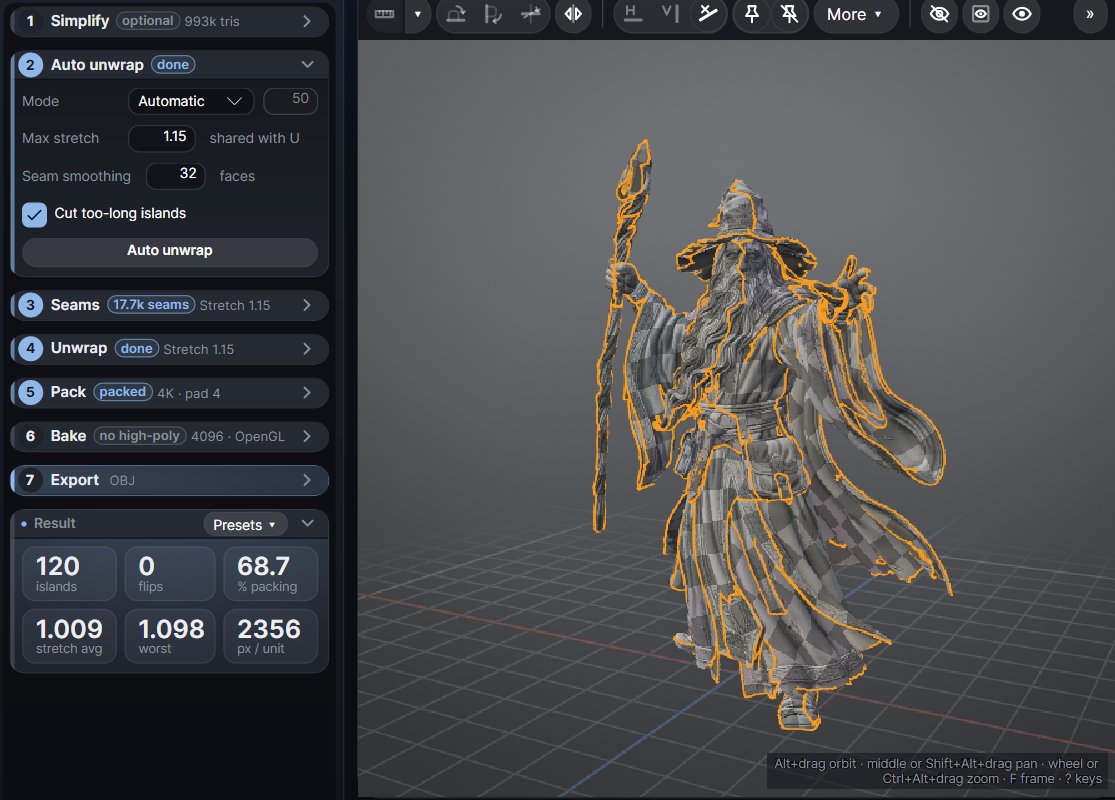
A 3.5 million triangle sculpt unwraps in about 20 seconds on a fast many-core workstation; fewer cores take longer.
Options
| Option | What it does |
|---|---|
| Mode | Automatic (quality): every island stays under the max stretch, with as few islands as that allows. Mosaic: about the number of Islands you ask for, each one clean. |
| Max stretch | The same value as the Unwrap card (default 1.15). Lower gives less distortion and more islands. |
| Seam smoothing | Straightens the seams over a band of faces, for cleaner, shorter seam lines. 0 turns it off. |
| Cut too-long islands | Islands too long for a square atlas (or for one UDIM) are cut once, which packs much better. |
The Seams card's Hard edges and Polygroups also steer the Auto unwrap's seams, and the pack uses every pack setting: size, padding, UDIMs, orientation, rotations, texel density.
What it keeps
- Your seams, when Keep seams on Auto unwrap is on (Seams card > More ▾): it then only adds a cut where an island cannot unfold well.
- Locked islands and hidden islands: not cut again, not unfolded, not moved. The rest is packed round them. The status says how many were kept.
This means you can isolate one part (I) and Auto unwrap just that part, or lock the islands you are happy with and run it again on the rest.
After the run
The card's chip reads done. If you change one of its options afterwards it reads changed, and the Result header says Result - changed: run it again to apply. Only the size or the padding changed? Ctrl+P repacks in seconds instead.